01Revit Update Manager

01Revit Update Manager
Every model delivery where it belongs.
Collects every model delivery, archives it and puts it where the team works.
Other downloadsWindows 10 / 11 · Available · v1.2.0 · Free trial, then a licence per user
02Highlights
What’s inside.
Collects every model delivery, archives it and puts it where the team works.
On a live project the architectural, structural and MEP models arrive from different companies, in different folders, at different times. Revit Update Manager finds the newest delivery of each discipline, copies it into the project archive and distributes it to the folders your team actually opens — by hand from the window, unattended on a schedule, or through an AI app.
Who it is for
BIM managers and coordinators who update several projects a week and want every delivery archived, distributed and logged the same way, every time.
How it works
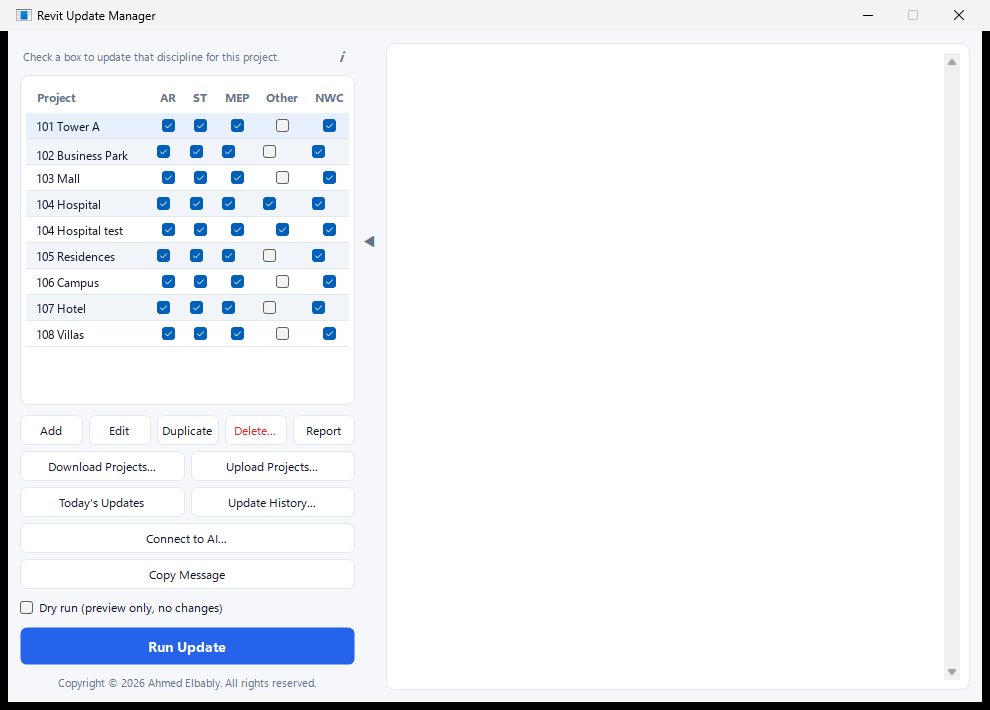
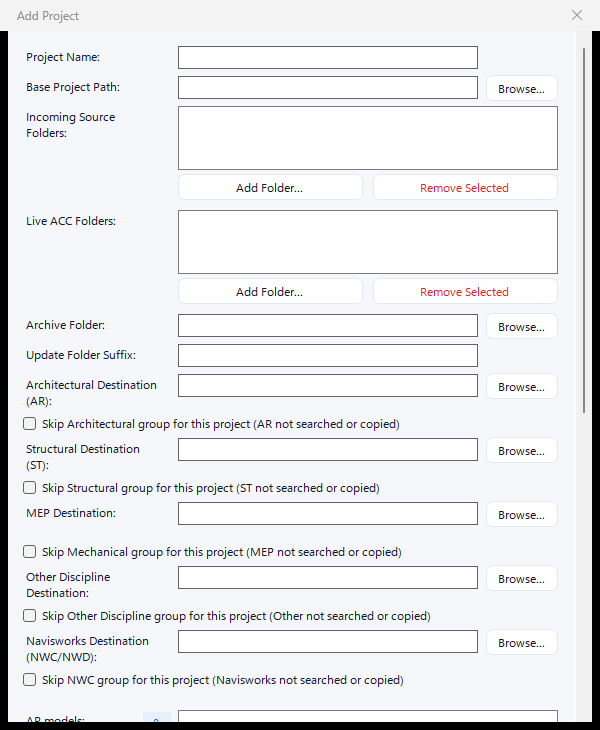
- Add a project: its base path, incoming and ACC folders, the archive and a destination per discipline.
- Tick the disciplines to update and press Run — or let Task Scheduler run it overnight.
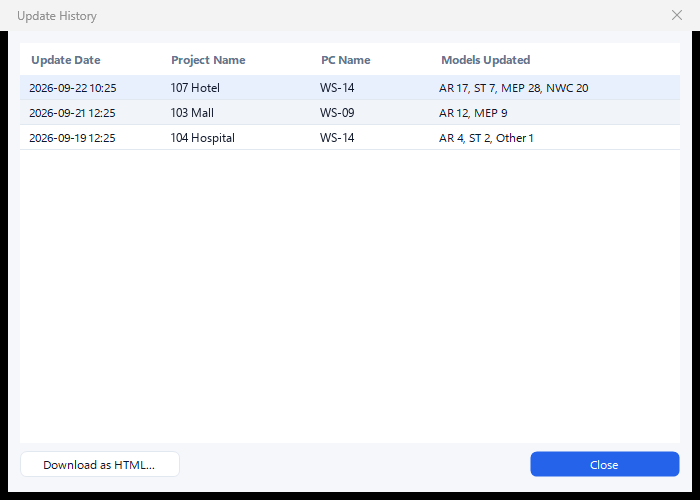
- Read the report, check today’s updates and the history, and copy the notice for the team.
Version 1.2 is installed, updated and licensed through Archqube; your project list and settings stay in your user folder across updates.
01
One click per project
Tick AR, ST, MEP, Other or NWC for each project and press Run — the rest is automatic.
02
Finds every delivery
Searches the incoming folders and the live ACC folders for the newest model of each discipline.
03
Archive first
Every delivery is copied into the project archive before it goes anywhere else.
04
Distributes to the team
Copies each model to the destination folder set for that discipline.
05
Runs on a schedule
Set it up in Task Scheduler once and the updates happen overnight, unattended.
06
Report and history
A report after every run, today's updates and the full history, all in the window.
07
Dry run
Preview exactly what would change without touching a single file.
08
Talks to your AI
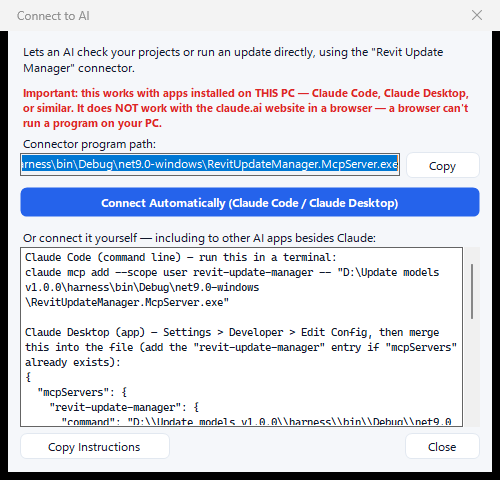
The built-in connector lets Claude list projects, run updates and read the reports.
09
Updates through Archqube
Installed, updated and licensed by the Archqube launcher.
03Screenshots
04Get Revit Update Manager
Option 1 · Recommended
Get Revit Update Manager with the installer.
The Archqube installer adds Revit Update Manager and every other tool you are licensed for, picks the right build for your Revit version and keeps everything up to date.
- Every Archqube tool
- One-click updates
- Signed installers
Archqube installer
Download installer- Windows
- 10 or 11, 64-bit
- Install
- Per user, no administrator rights
- Revit
- Not needed — it moves the delivered model files, any Revit version
- Licence
- Archqube licence, checked online every two days
- AI connector
- Optional — Claude or any app that speaks MCP
Option 2 · Standalone
Just Revit Update Manager? Download it standalone.
These downloads add Revit Update Manager on its own. Come back here for new versions, or install the Archqube installer later and it will keep Revit Update Manager updated.
Release
Version 1.2.0.
Windows 10 / 11 · Free trial, then a licence per user
Help
Stuck? Ask us.
Questions, bugs or feature ideas go straight to the people who build the tool.
05The family
More from the family.
All products-
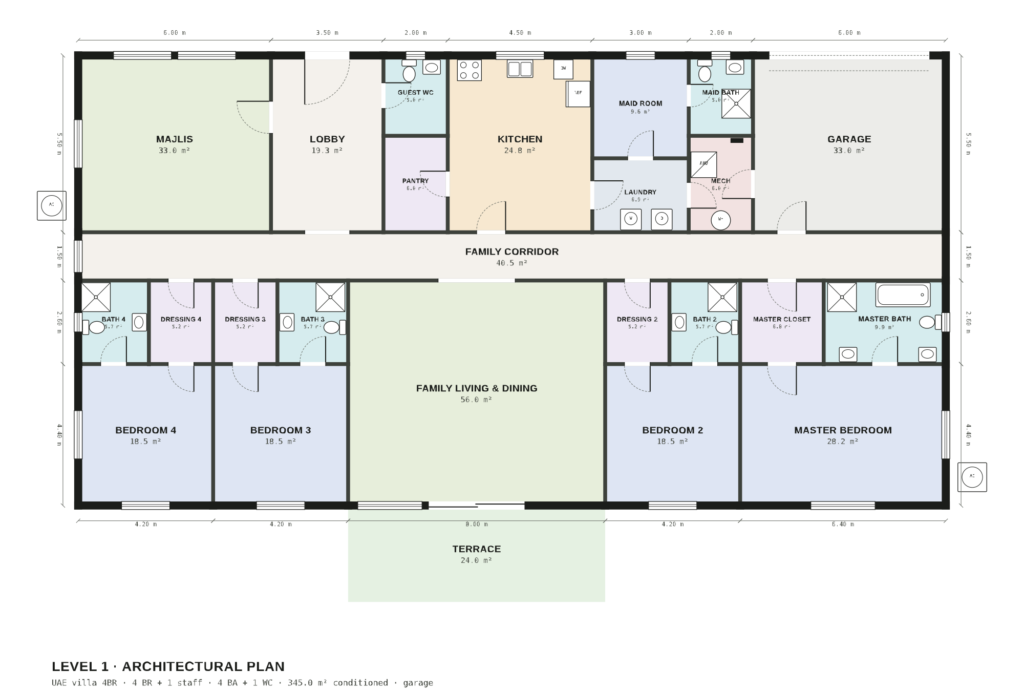
AR Plan Generator
Brief in, floor plan out — 2D plan, 3D model, DXF and IFC, checked for MEP.
BetaWebClaude pluginExplore AR Plan Generator -
BIM Viewer
Open any IFC model in the browser — inspect, measure, section and share, nothing to install.
AvailableWebExplore BIM Viewer -
pyRevit MCP Setup
One file that walks any AI assistant through connecting Claude, Cursor or Codex to Revit.
AvailableClaudeChatGPTCursorCodexExplore pyRevit MCP Setup
Windows 10 / 11 · Available
Help shape Revit Update Manager.
Report bugs, request features and get early builds of Revit Update Manager from the team that writes it.